StoriiCare is constantly working towards powerful new features and product improvements. Here’s a brief overview of our latest updates:
Quick-Look Highlights
- Flow Sheets - A monthly, grid-style record of participant activities, care, and attendance, ready to export with staff signatures.
- Register & Schedule Linked Fields - Pull attendance dates, today’s sign-in and sign-out times, and this week’s schedule straight into the Face Sheet and forms, with no retyping.
- Meal Tracking: Bulk Entry - Record how much participants ate and what they ate for a whole group at once.
- AI Note Enhancement & Translations - Improve note grammar and clarity in one click, and translate notes for multilingual staff and families.
- Care Plan Upgrades - Duplicate care plan entries, view change history, and restore historical plans.
- Co-Signing - Send progress notes, form entries, and care plans to staff, family, or outside contacts for review and signature.
- Claim Templates - Save multiple 837 claim configurations and assign the right one to each rate, so different payers and programs bill correctly without changing your settings each time.
- Stedi claim tools - Void claims individually or in bulk, contact Stedi support from any claim, and see clearer submission errors.
Smaller Updates
- Register: Make Signatures Required – Require a drawn signature for sign-in, sign-out, or both, set separately for participants, staff, visitors, and transport.
- CRM Search, Sort & Filtering – Search leads and sources and sort by key fields. The “All ongoing” filter hides leads that have already enrolled.
- Trends Participant Filter – Filter Trend charts by participant or group.
- Billing Improvements – Clearer eligibility check error messages, a new “Uncollectible” payment type for write-offs, and an Invoice Date column in the invoices list.
- Export Improvements – Outcomes PDF and Ohio DODD eMBS exports are now available; room numbers can appear in the Tasks CSV export, and Admin Summary fields are available in the Register export.
Significant Improvements
Flow Sheets
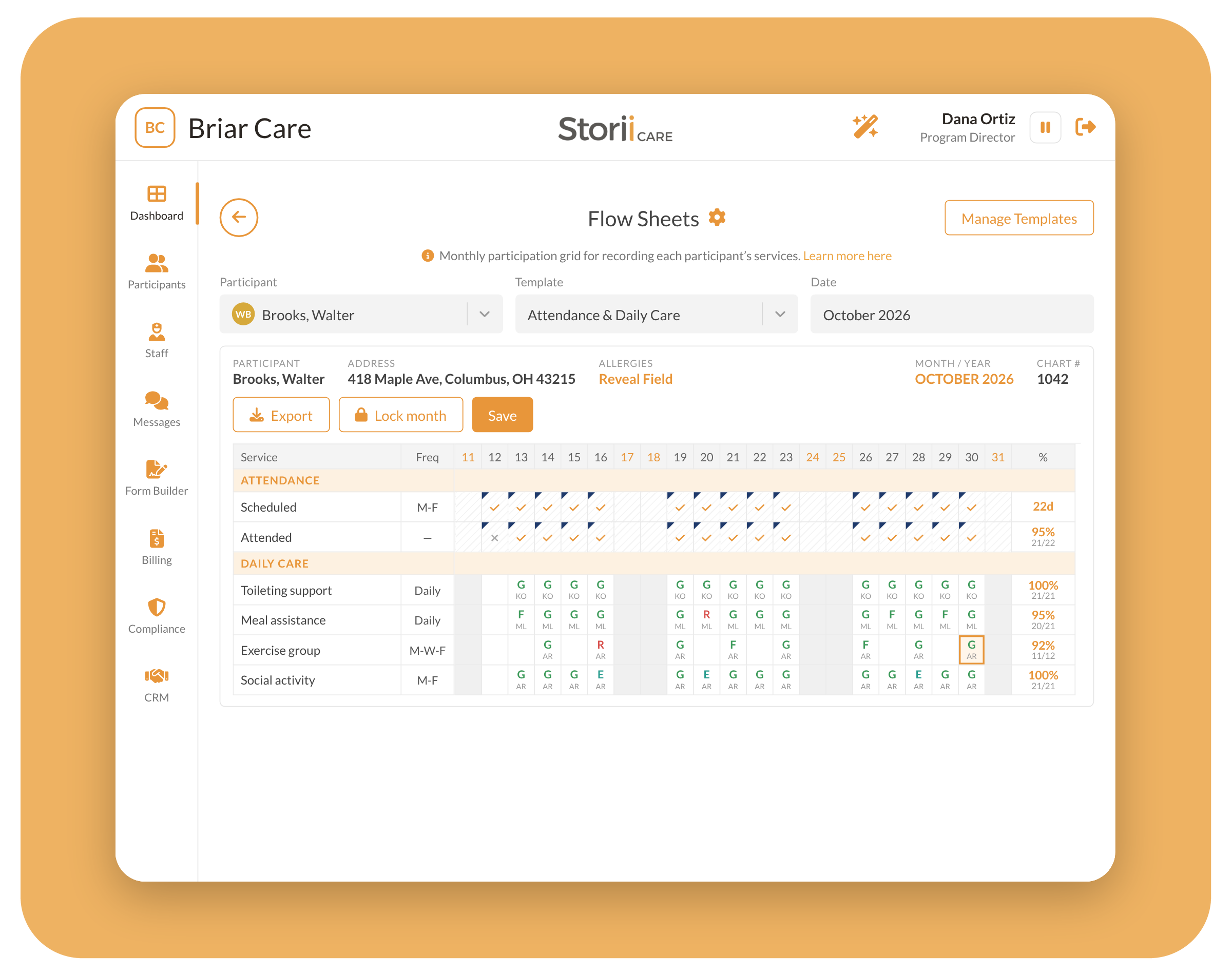
Flow Sheets give care providers a full-screen, month-at-a-glance grid for documenting participant care. They were built especially for adult day programs that need monthly flow sheets for compliance. Choose a participant, a month, and a template, then record each day’s activities using status codes your organization defines (for example, “Present (P)”). Each entry records which staff member performed the care. Attendance rows fill in automatically from your Attendance Schedule and Register, showing scheduled vs. attended days without double entry. Monthly totals calculate as you go. Administrators can build templates with daily, weekly, or monthly rows and choose which statuses appear on each one. Two starter templates, “Attendance & Daily Care” and “Visit Times & ADL Training,” are included so you can begin right away. When the month is complete, lock the sheet to protect it, then export it as a PDF with staff names, initials, and saved signatures, or as an Excel or Word file.
Learn More: A Guide to Flow Sheets
Register & Schedule Linked Fields
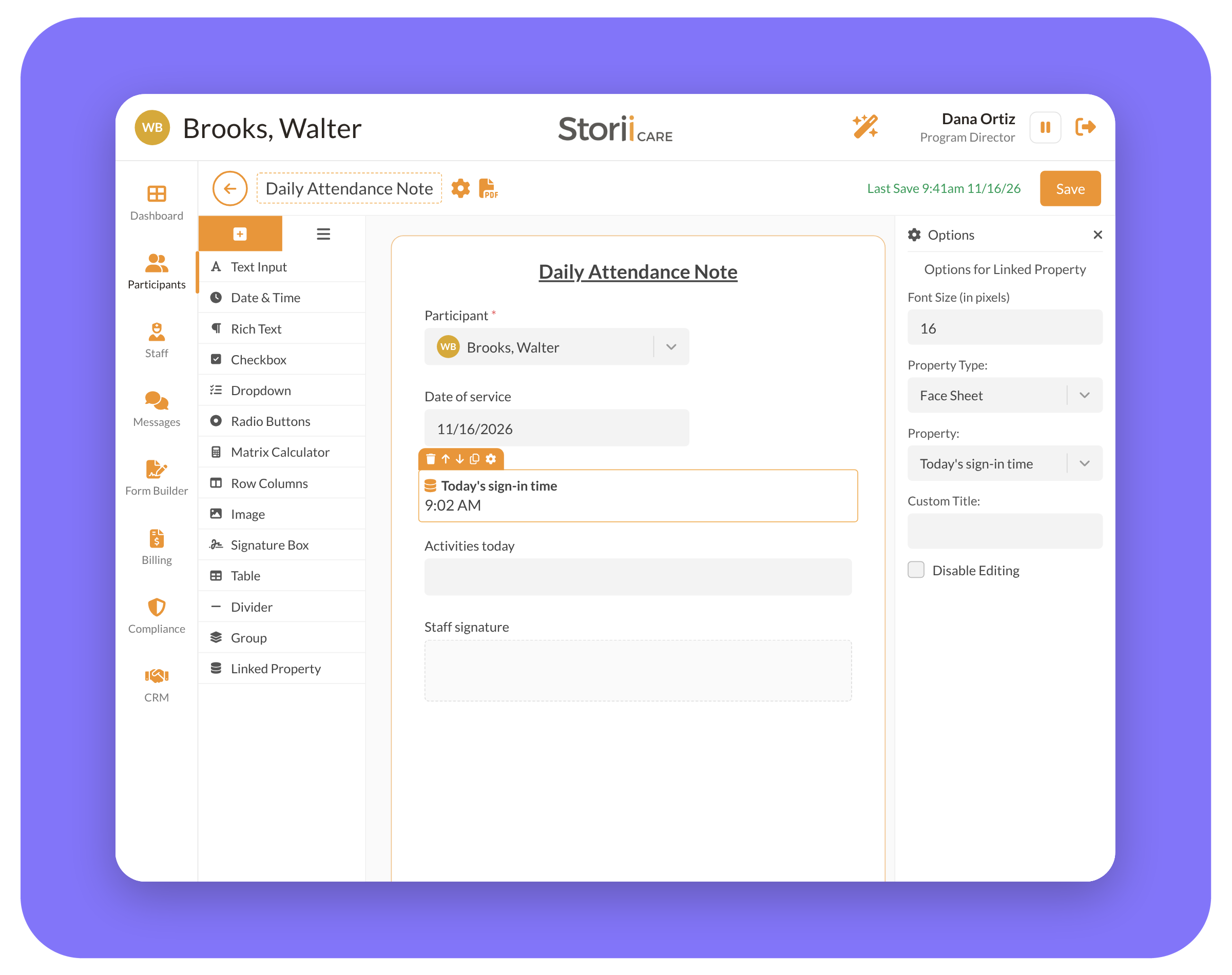
Staff no longer need to copy attendance details into daily notes, progress notes, or state forms by hand. Nine new Linked Fields, available on the Face Sheet and in Form Builder (including PDF-background forms), pull data directly from the Register and the participant’s schedule:
- Attendance history: First day attended, Total days attended, and Most recent visit date
- Today’s attendance: Today’s sign-in time, Today’s sign-out time, and Today’s total attended hours
- This week’s schedule: Attendance, Transport, and Home Care Scheduled (Current Week)
On the Face Sheet, these fields update automatically, including one-off schedule changes and cancellations for the current week. On forms, “today” and “this week” are based on the date the form is completed, and the values are saved when the form is submitted, so signed documents never change later. These fields are read-only, so any corrections still happen in the Register or schedule. For the most accurate results, complete daily forms on the same day, after the participant has signed out.
Learn More: How to Pull Attendance & Schedule Data Into Forms
Meal Tracking: Bulk Entry
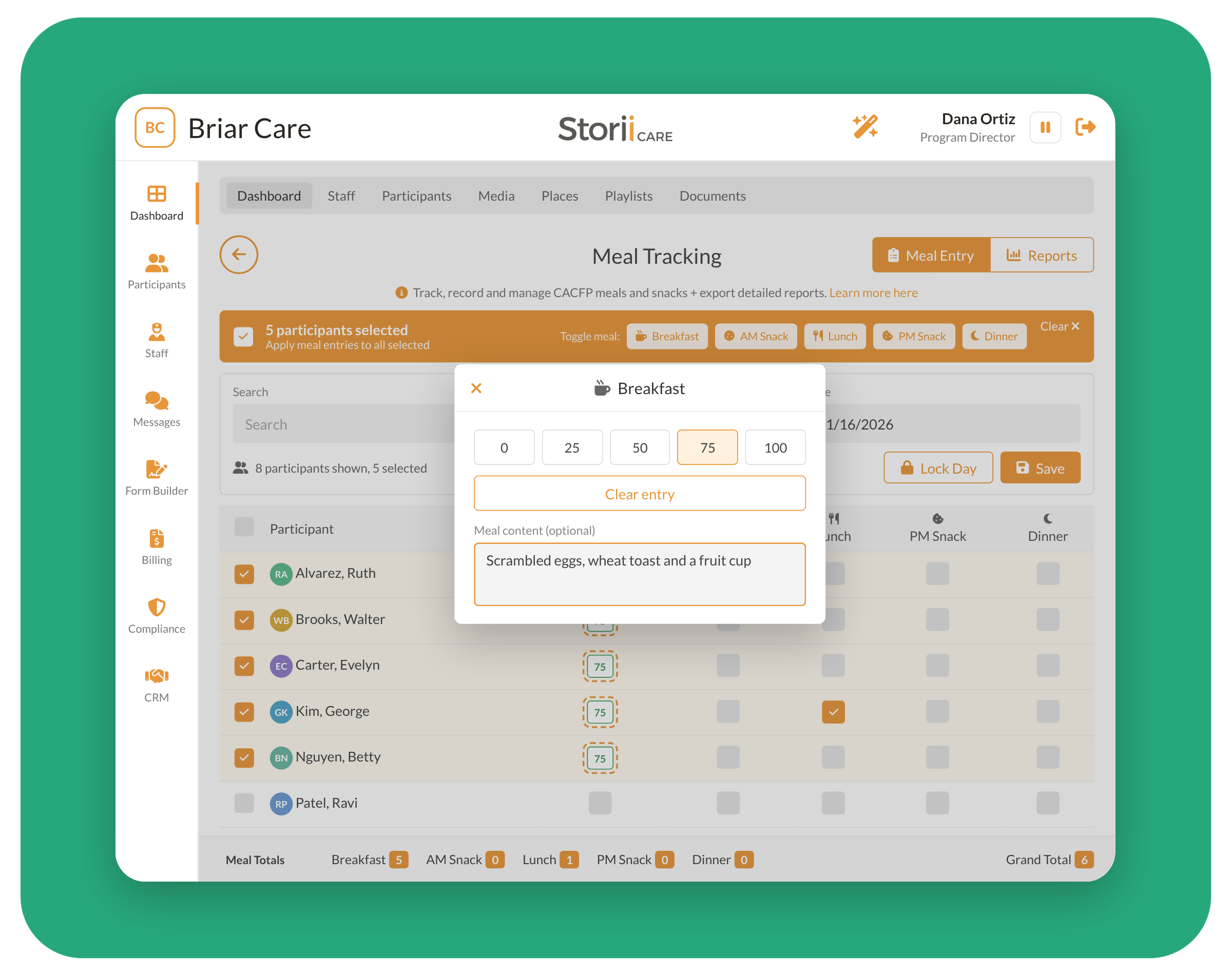
In our last update, we introduced meal consumption tracking so staff could record what percentage of a meal each participant ate and add a description of what was eaten. Now you can do both in bulk. Select multiple participants, choose the percentage consumed, and add a description of the meal in one step, instead of opening each participant individually. This saves time at busy mealtimes, especially when most of a group ate the same thing, while still giving you accurate records for CACFP reporting and participant well-being. You can still adjust individual entries afterward for anyone who ate more or less than the rest of the group.
Learn More: A Guide to Meal Tracking
AI Note Enhancement & Translations
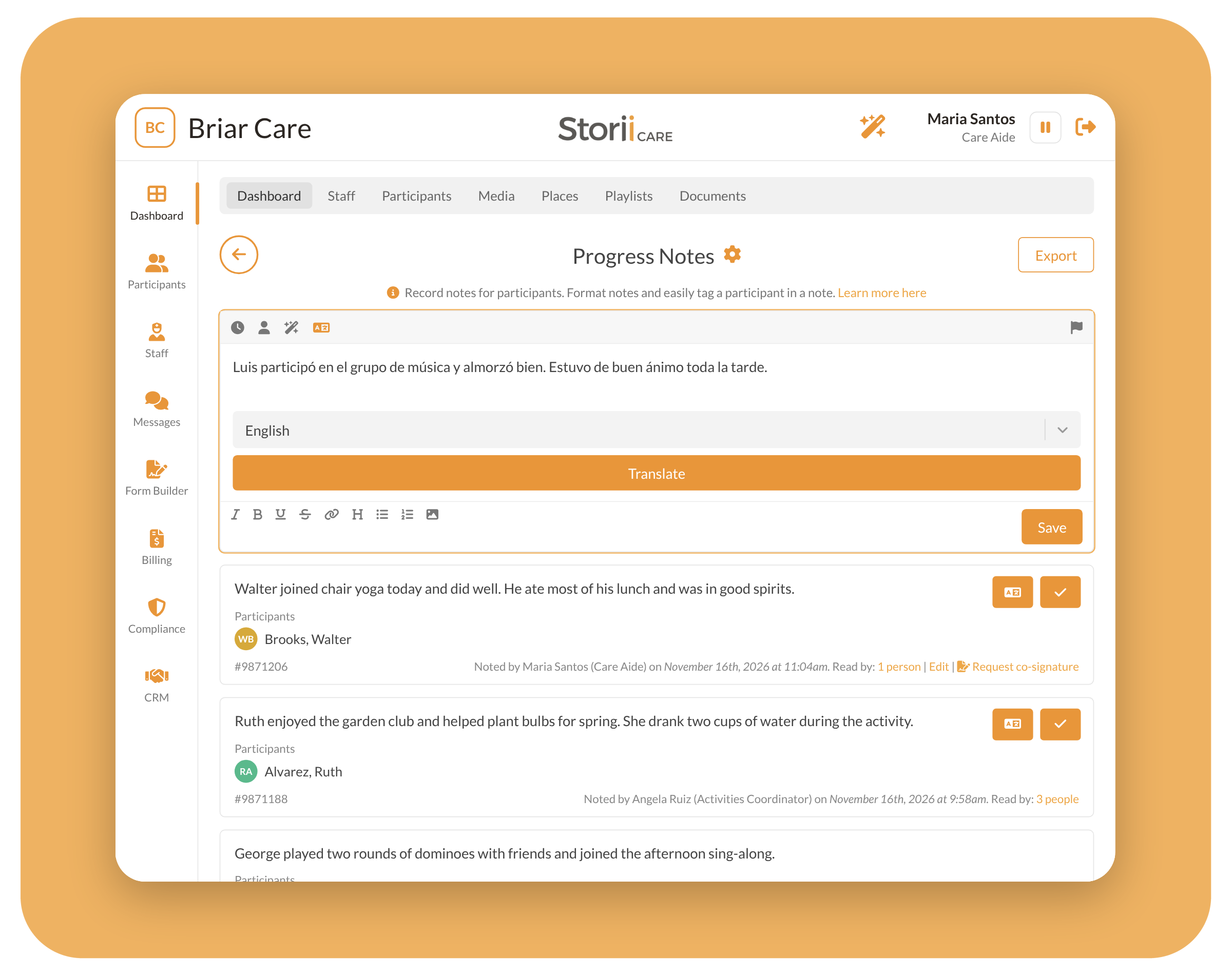
StoriiCare now includes two AI tools to help teams write clearer notes. With AI Grammar & Clarity Improvement, staff click the sparkle icon in the note toolbar to fix spelling, grammar, and flow before saving. It works in Progress Notes, Visit Notes, care plan notes, the Staff Noticeboard, and Community Announcements. It’s built to improve wording only. It won’t add information that wasn’t in the original note or make care or medical recommendations. Staff should still review every suggestion before saving, since they remain responsible for the note’s content. AI Note Translation lets staff and Storii Family connections translate notes into many languages, with English now preselected for faster use. The original note is always kept, and the translation appears alongside it.
Learn More: AI Note Translation and Grammar & Clarity Improvement
Care Plan Upgrades
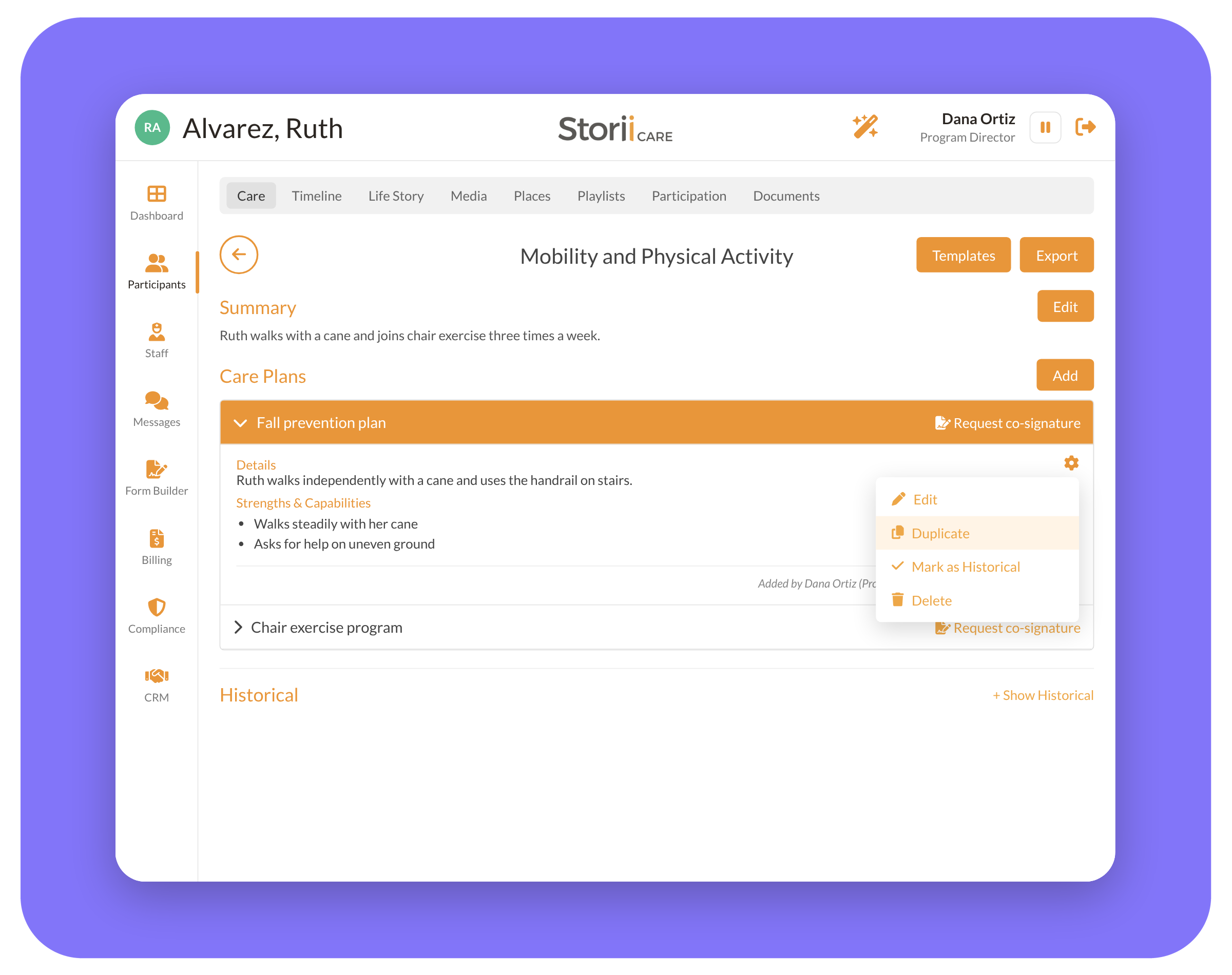
We’ve made several improvements to how care providers update and maintain care plans. When a participant’s needs change, you can now duplicate an existing care plan entry instead of starting from scratch. StoriiCare will also offer to mark the original as historical, so your active plan stays current and the previous version is preserved. If a plan was marked historical by mistake, the new “Unmark as historical” option restores it, and the action is recorded in Recent Actions. Care plan entries also have a full history of changes, the same view already available for Outcomes, so you can see exactly what changed and who changed it. And with Co-Signing, you can now send a Care Plan Summary to staff, participants, or family members for signature.
Learn More:
How to Update an Existing Care Plan
How to Mark a Care Plan as Historical
Co-Signing
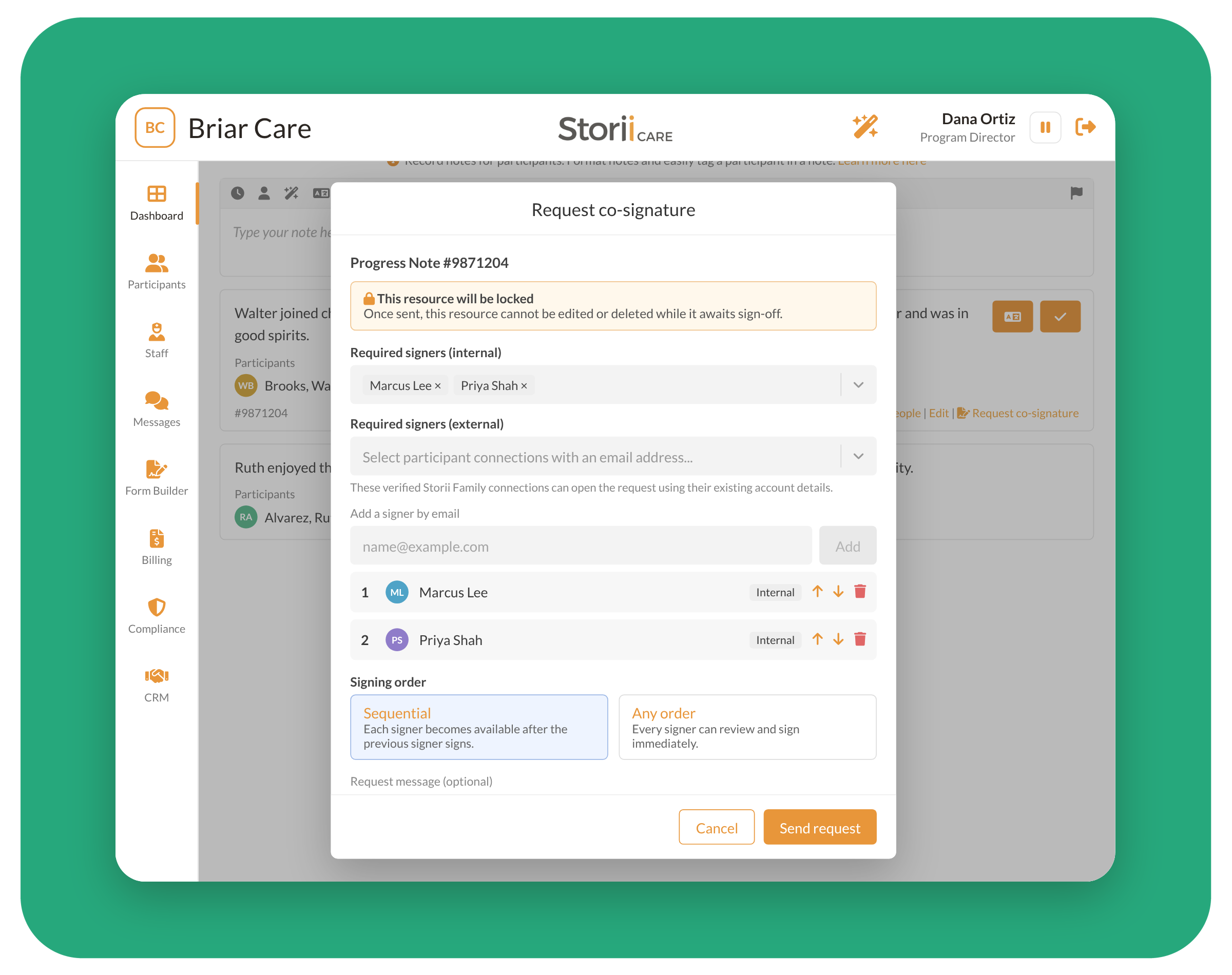
With Co-Signing, care providers can send a record to one or more people for review and signature, then track every request from one page. Co-Signing works on progress notes, form entries, and care plan summaries. Signers can be your own staff, a participant’s verified Storii Family connections, or anyone you invite by email. You can require signatures in a set order (for example, author, then nurse, then director) or let everyone sign at once. Signers receive email notifications, and you can add a due date so overdue requests stand out. While a request is open, the record is locked so it can’t be changed before sign-off. Every view and signature is captured in a Signature Certificate and audit trail, ready for surveyors, auditors, and payers. Co-Signing is currently in Beta, and we’d love your feedback.
Learn More: Co-Signing (Beta): How to Request and Track Signatures
Claim Templates
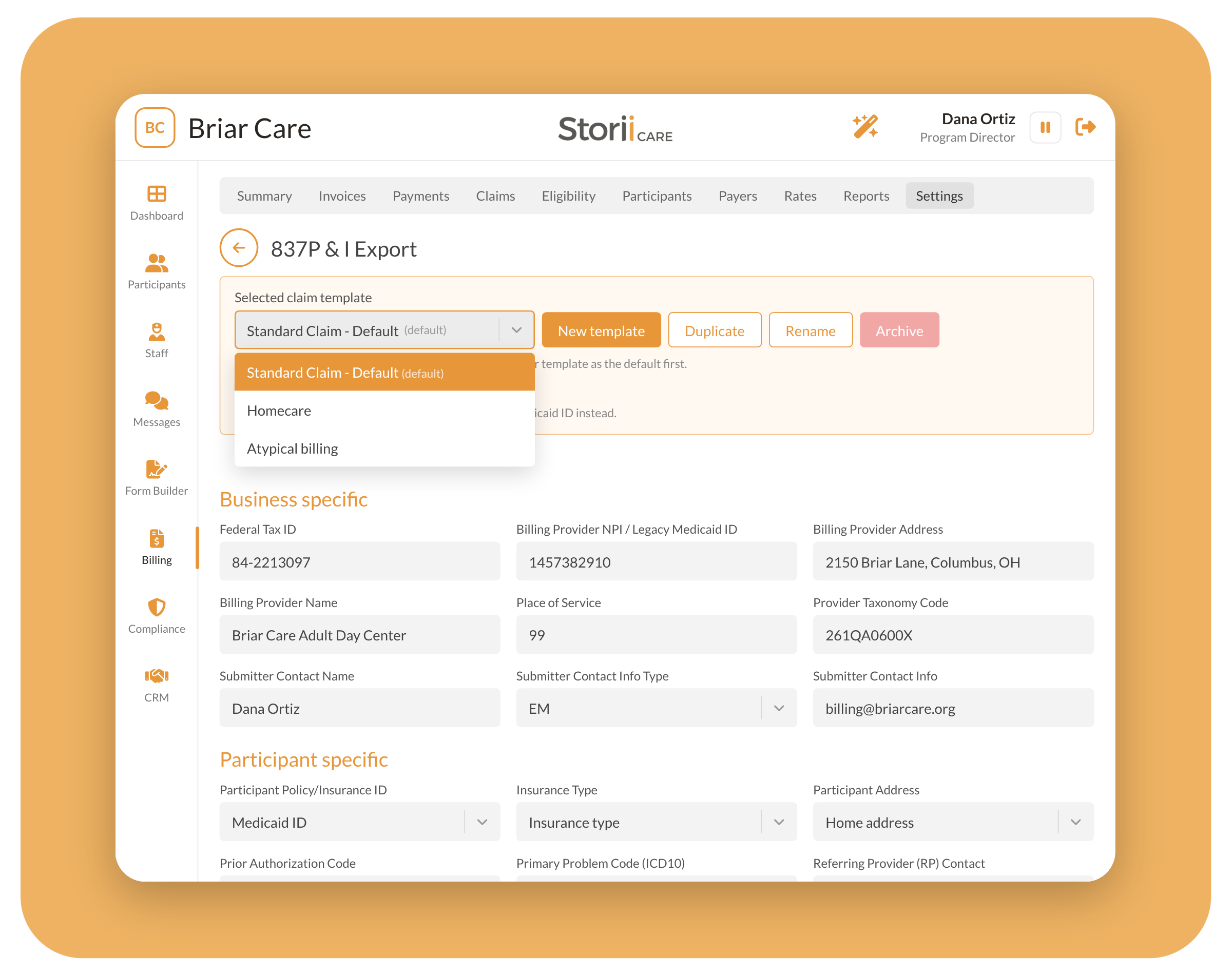
Billing teams that submit claims to more than one payer, or for more than one type of program, no longer have to rework a single set of 837 settings each time. With Claim Templates, found in Billing → Settings → Exports → 837P & I Export, you can save multiple named claim configurations, each with its own business-specific values and participant field mappings. You can create templates from scratch, duplicate an existing one as a starting point, and rename or delete templates as your needs change. Then, when editing a rate, choose which claim template it should use. Rates without a specific template automatically follow your default.
To get you started, every account includes a Standard Claim – Default, Homecare, and Atypical template (for providers without an NPI). If you already submit 837 claims, your current settings have been copied into the Standard template, so nothing changes until you choose to make changes. Your Stedi connection settings stay global across all templates, and claims you’ve already generated aren’t affected when you edit a template.
Learn More: How to Use Claim Templates
Stedi Claim Tools
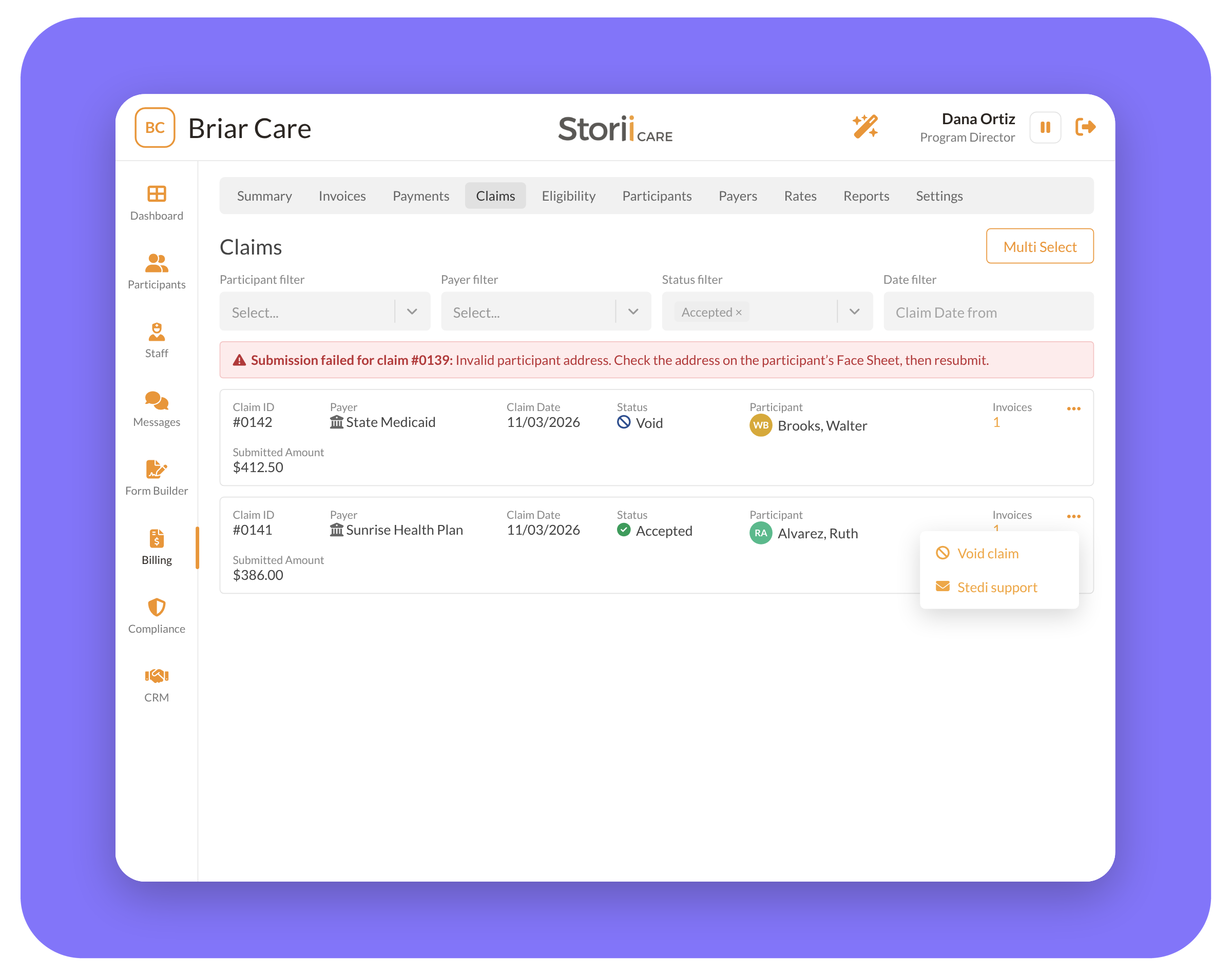
We’ve added new tools to make managing electronic claims through Stedi faster and easier. You can now void Accepted or Processing claims directly from StoriiCare, either one at a time from the claim’s menu or several at once with the new multi-select and Bulk actions option on the Claims tab. A voided claim gets a new “Void” status and is unlinked from its invoice, so the invoice can be resubmitted as a new claim.
If you need help with a specific claim, the new “Stedi support” option in the claim’s menu opens a pre-filled email to Stedi’s support team with the claim ID, payer, status, amount, and denial code already included. Submission errors are now clearer too, including specific messages for failed submissions and invalid participant addresses, so your billing team can fix problems quickly.
Learn More: How to Void a Claim
Questions or feedback?
As always, we love hearing from our community. If you have questions about any of these updates or ideas for future features, get in touch with our team.